 Orby
AI PLAYGROUND
Your AI usage tracker.
Right on your Windows desktop.
Keep supported coding tool allowances in sight. Orby shows reported usage in AI Playground and lets you put one provider on your closed orb.
$19.99 USD, one time on the website and Gumroad. Direct licenses cover up to three active PCs.
Know what you can see before connecting
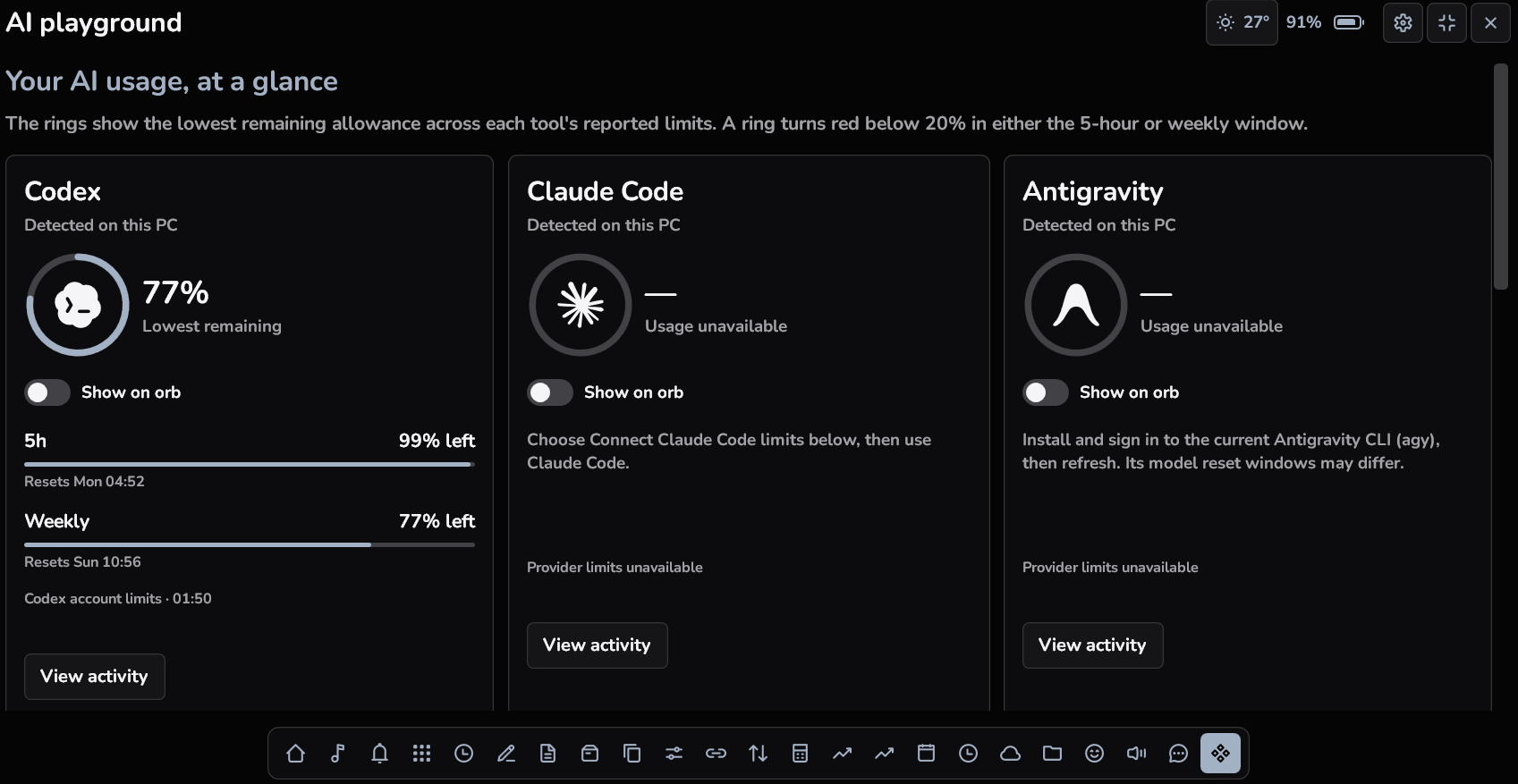
Different AI coding tools expose different information. Orby looks for supported Codex, Claude Code and Antigravity installations on your PC. When a supported integration supplies an allowance or reset window, AI Playground can display it. An installed app alone does not guarantee that live usage limits are available, and missing data is not treated as an unused allowance.
A remaining allowance ring, with a clear warning
Usage meters around provider logos give the reported allowance a compact visual form. When supported five hour or weekly remaining allowance falls below 20%, the relevant indicator turns red. These readings come from the supported integration. They are not a universal billing report, a replacement for a provider dashboard, or a forecast of how many prompts you can send.
Show AI usage above your ordinary app windows
Select Show on orb for the supported provider you want nearby, then close the panel. The selected reading stays on the compact orb, so you can glance at it while working in another ordinary Windows app window. Choosing a timer, media session or another provider as the orb activity replaces the previous selection.
Understand detection and unavailable states
If a supported tool is not installed, Orby can show Not detected. If the tool exists but does not expose a usable quota, allowance information may remain unavailable. Provider changes and account permissions can affect connections. Orby does not include a paid AI subscription, grant extra credits, or bypass a provider limit. Read the longer guide for how reported usage differs from token counts.
A FEW USEFUL ANSWERS
Before you try it.
Does Orby include access to AI models?
No. You use your own supported tools and provider accounts. Orby displays information exposed through supported integrations.
Will every AI account show five hour and weekly limits?
No. Those windows appear only when the supported tool reports them. Availability depends on the provider, account and integration.
Can I keep one provider visible while coding?
Yes, when its integration provides a supported reading. Select its Show on orb option and close the panel. The latest selected activity takes priority.