Orby

MADE FOR YOUR WINDOWS DESKTOP

Your everyday tools.
One little orb.

AI usage, revenue, focus timers, notes and music.
Open your orb. Find what you need. Get back to your day.

Website launch offer: $4.99 for the first 10 purchases, then $9.99. Taxes confirmed at checkout.

A tour of the tools, the closed orb and the details that make it yours.

CONNECTED WHEN YOU WANT IT

Your tools, a little closer.

Connect supported services for revenue, analytics and AI usage. The rest of your orb is ready to use without those connections.

StripePolarDodo PaymentsLemon SqueezyDataFastGoogle AnalyticsVercel CSVCodexClaude CodeAntigravity

Provider credentials and setup may be required. Vercel uses imported exports. AI limits appear when a supported tool reports them.

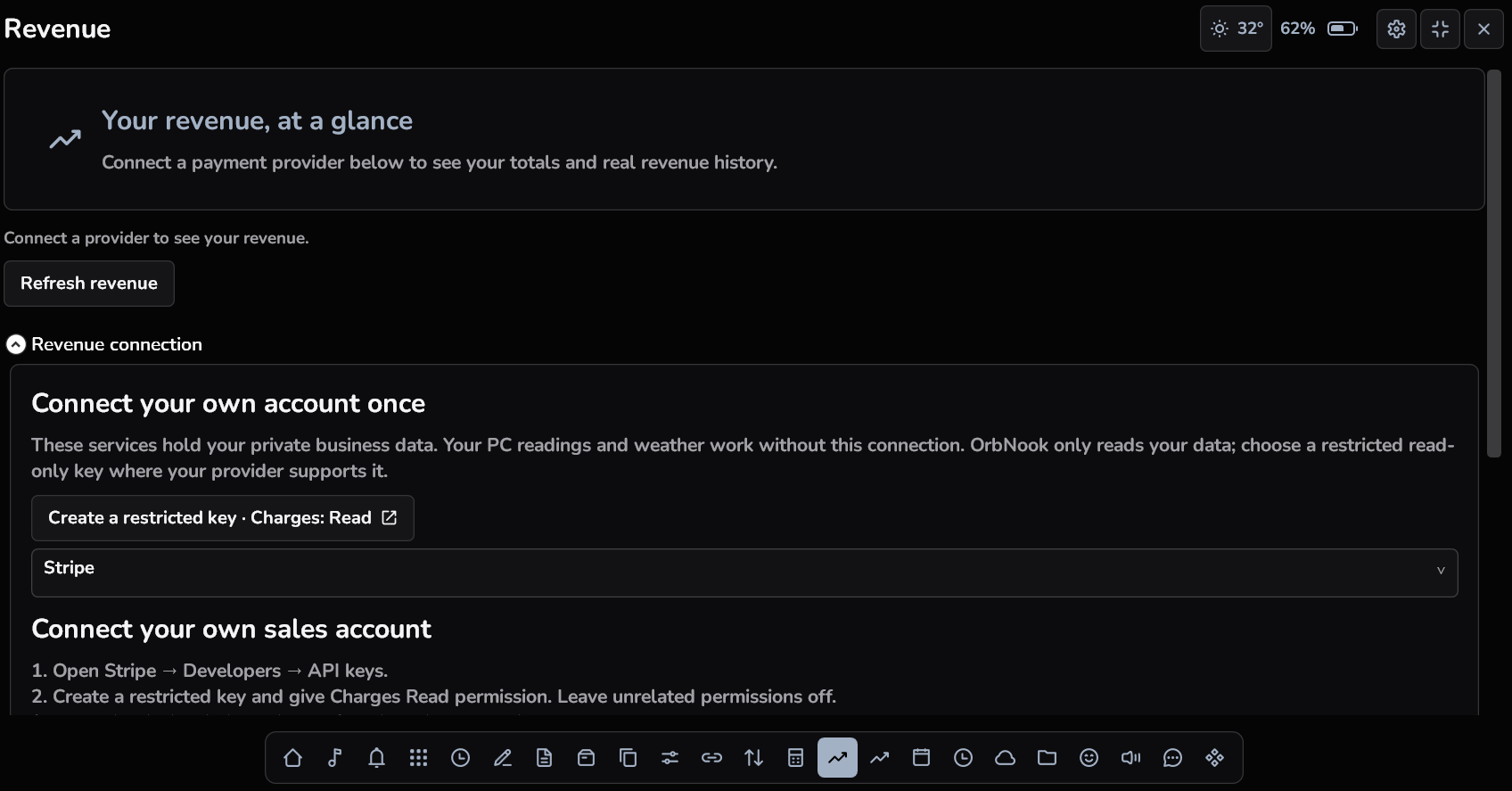
REVENUE

Keep an eye on your business.

Connect Stripe, Polar, Dodo Payments or Lemon Squeezy and view revenue in your desktop dashboard. Check supported totals without opening another browser tab.

  • Supported payment connections
  • Currency aware totals
  • Provider setup instructions in the app
Orby Revenue on Windows

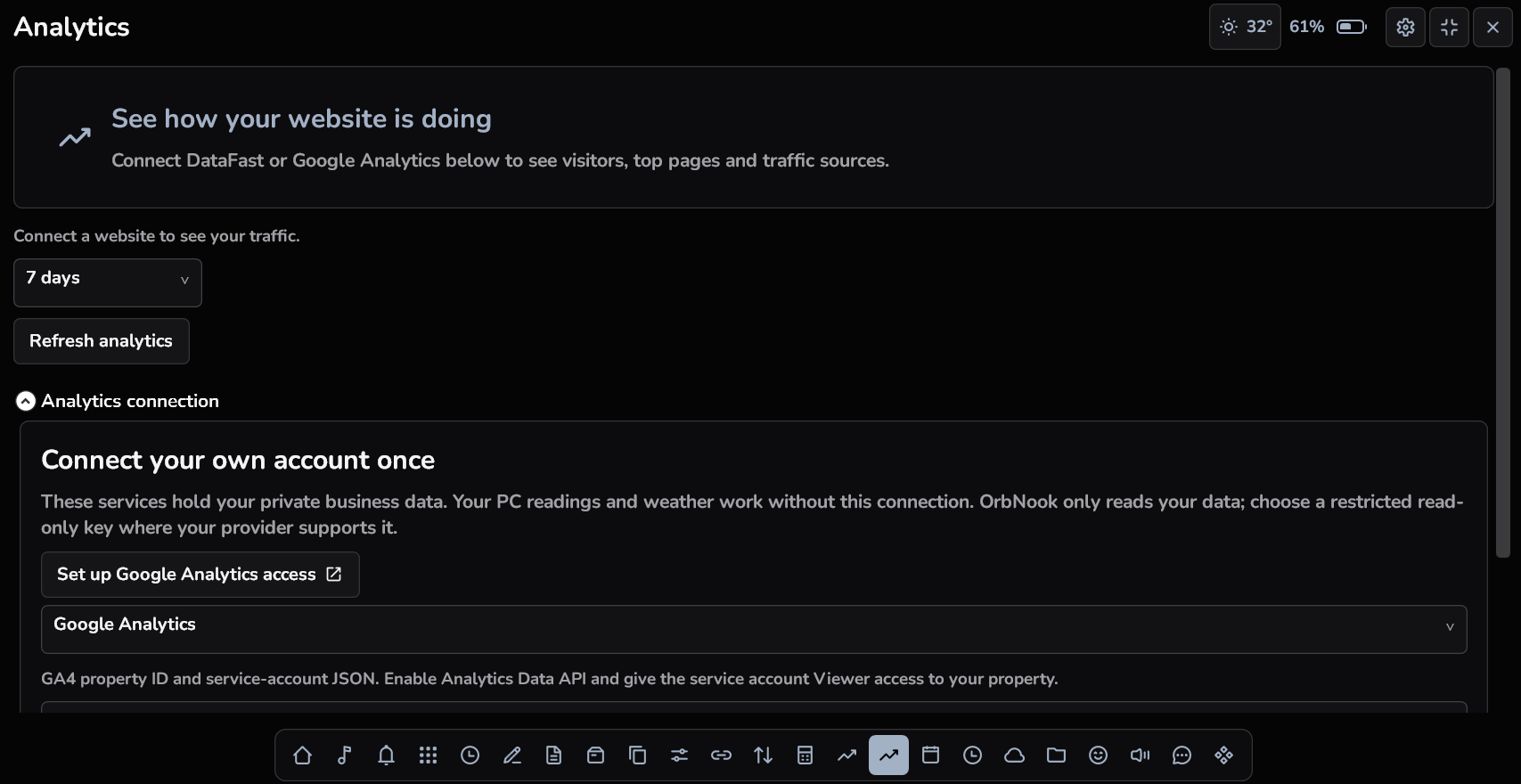
ANALYTICS

A closer look at your website.

See supported traffic reports from DataFast or Google Analytics. Import a Vercel analytics export when you want a snapshot beside your other tools.

  • Traffic and page information
  • Supported reporting ranges
  • Vercel CSV imports
Orby Website analytics on Windows
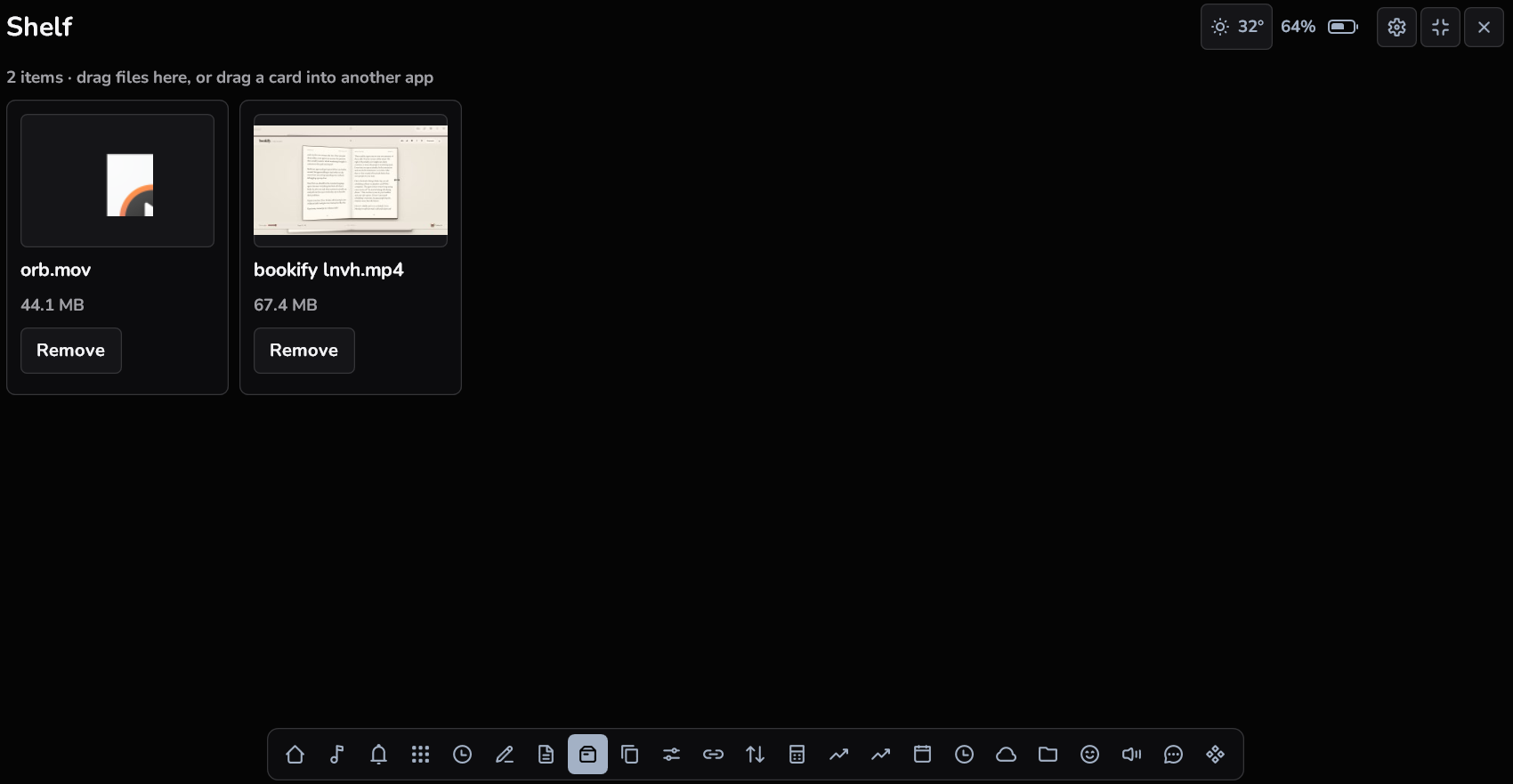
Orby File shelf on Windows

A place for the files in between.

Keep the files you are working with on your shelf. Preview supported items and reach them without another search through your folders.

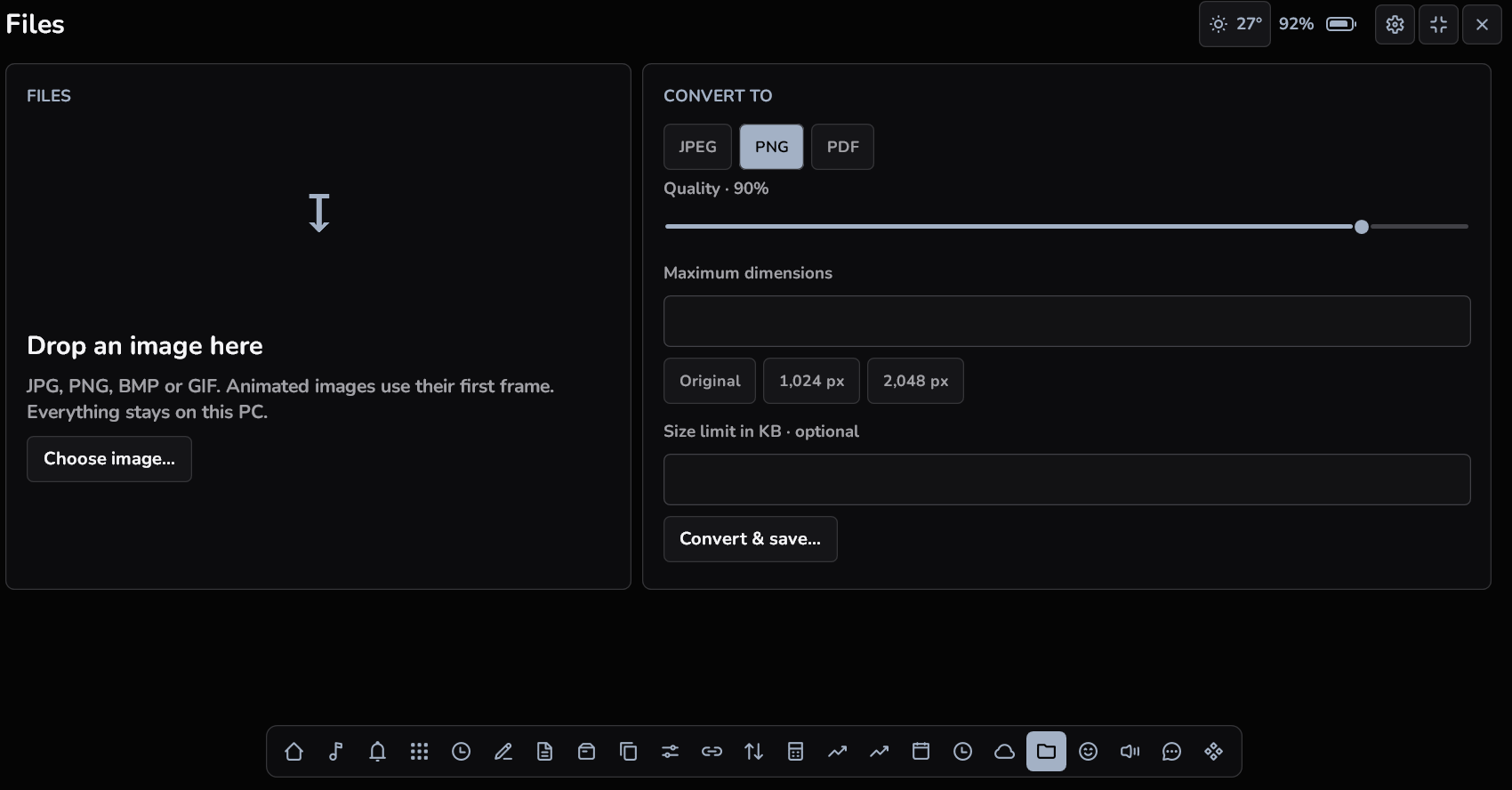
Orby Image conversion on Windows

A quick conversion, right here.

Convert supported images to JPEG, PNG or PDF on your PC. Choose the output and available quality or size settings without uploading the file to a converter website.

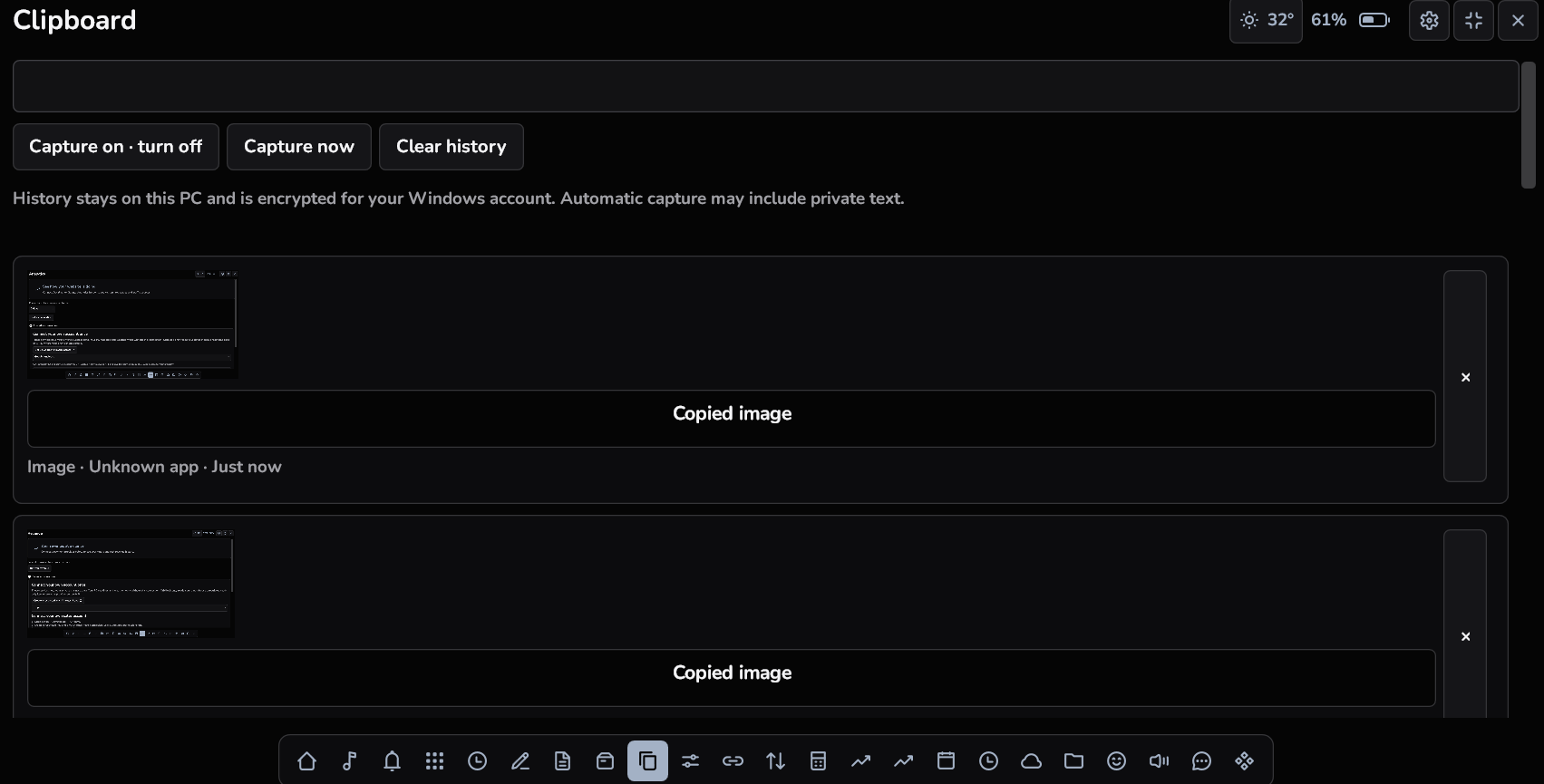
CLIPBOARD

Find the thing you copied.

Browse and search your saved clipboard history, then reuse the item you need. Turn tracking on when you want that history available.

  • Searchable history
  • Quick reuse
  • Local clipboard tools
Orby Clipboard history on Windows

TIMERS · STATS · SCREEN TIME

A little more focus.
A little less checking.

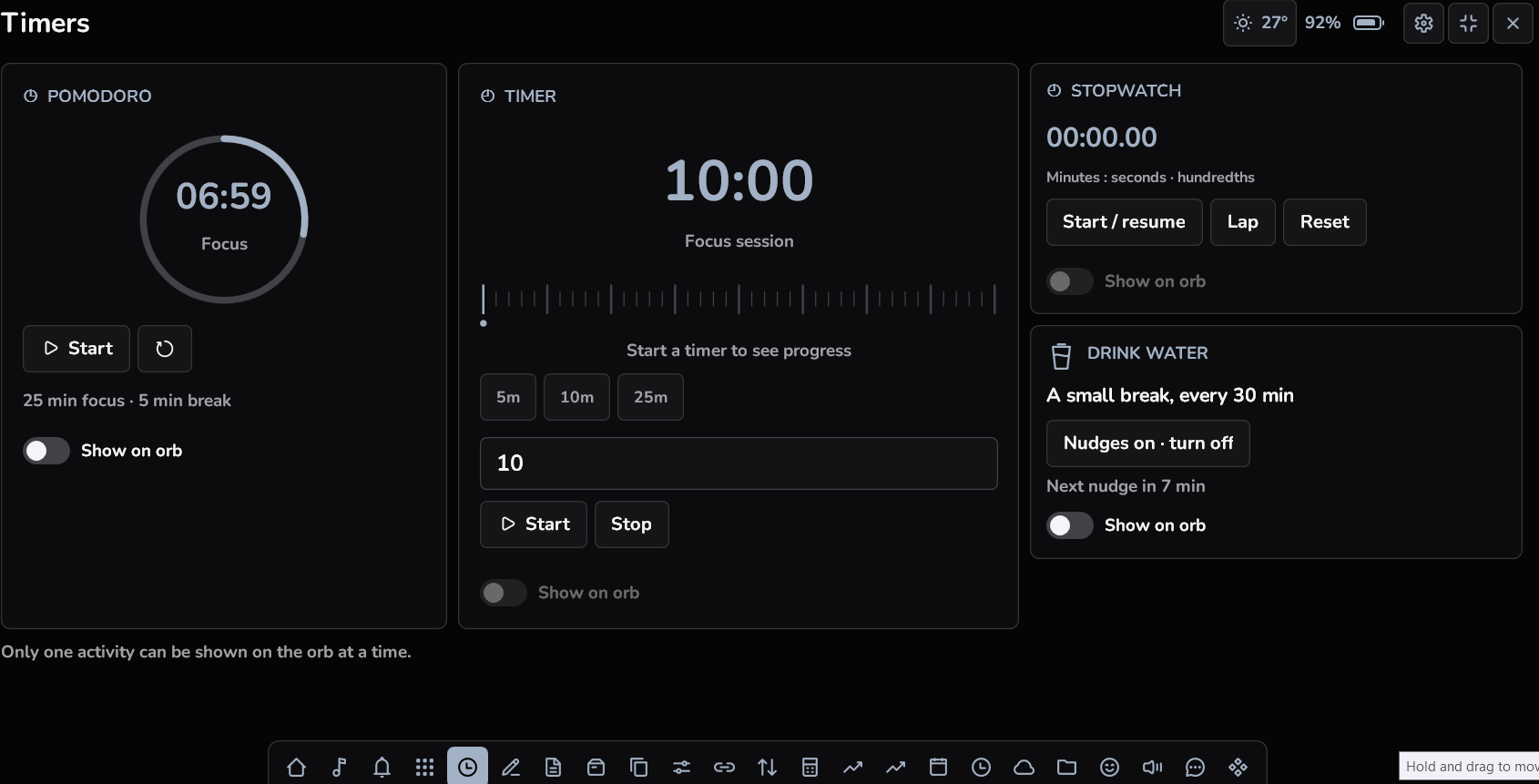
Your focus session and your PC information, within reach.

Orby Focus timers on Windows

Make room for a focused moment.

Start a Pomodoro, countdown or stopwatch. Add a water reminder and choose an activity to show on the closed orb.

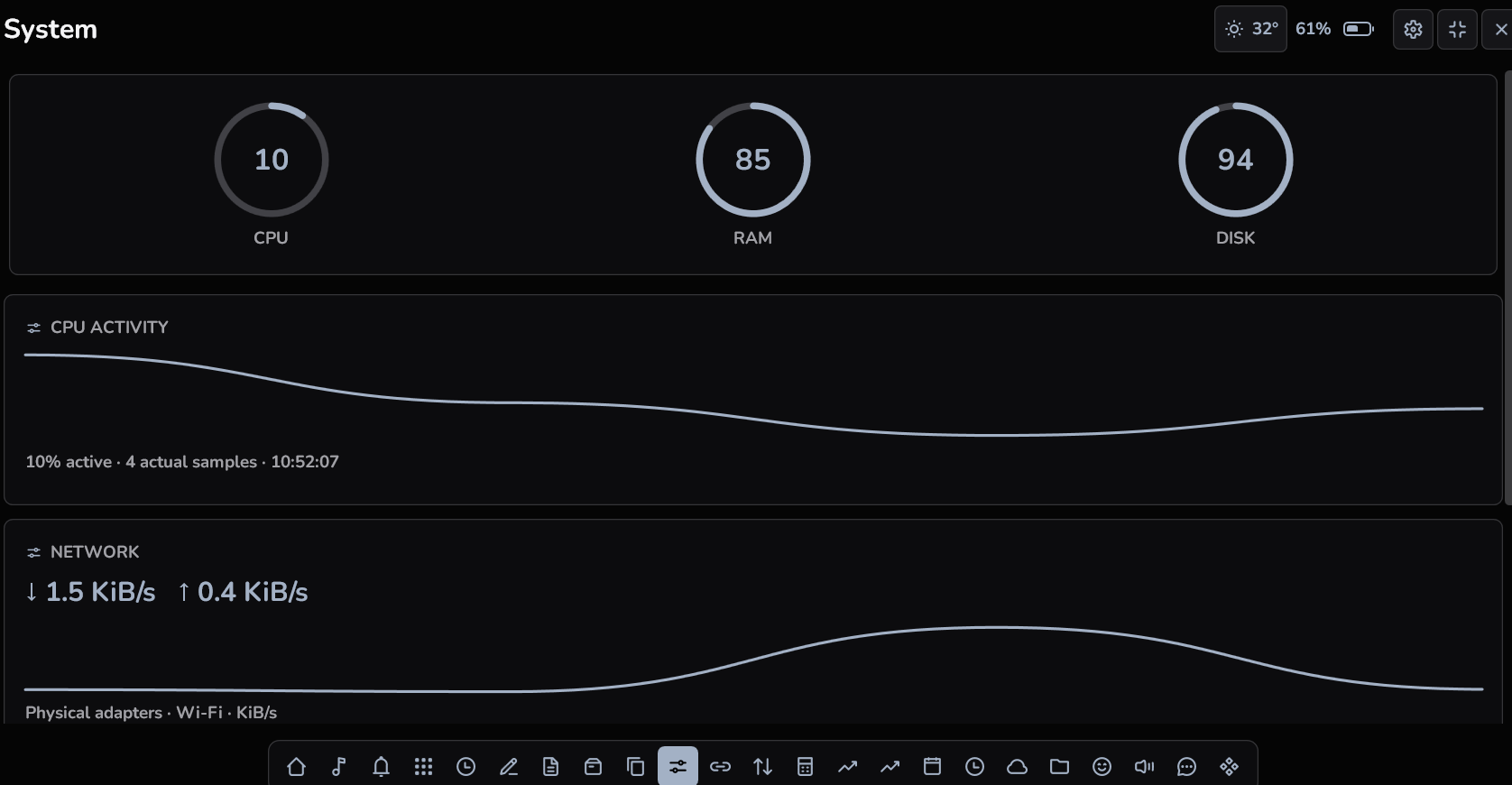
Orby PC system information on Windows

Know how your PC is doing.

Check CPU, memory, disk and network readings. Battery information appears when Windows reports a battery.

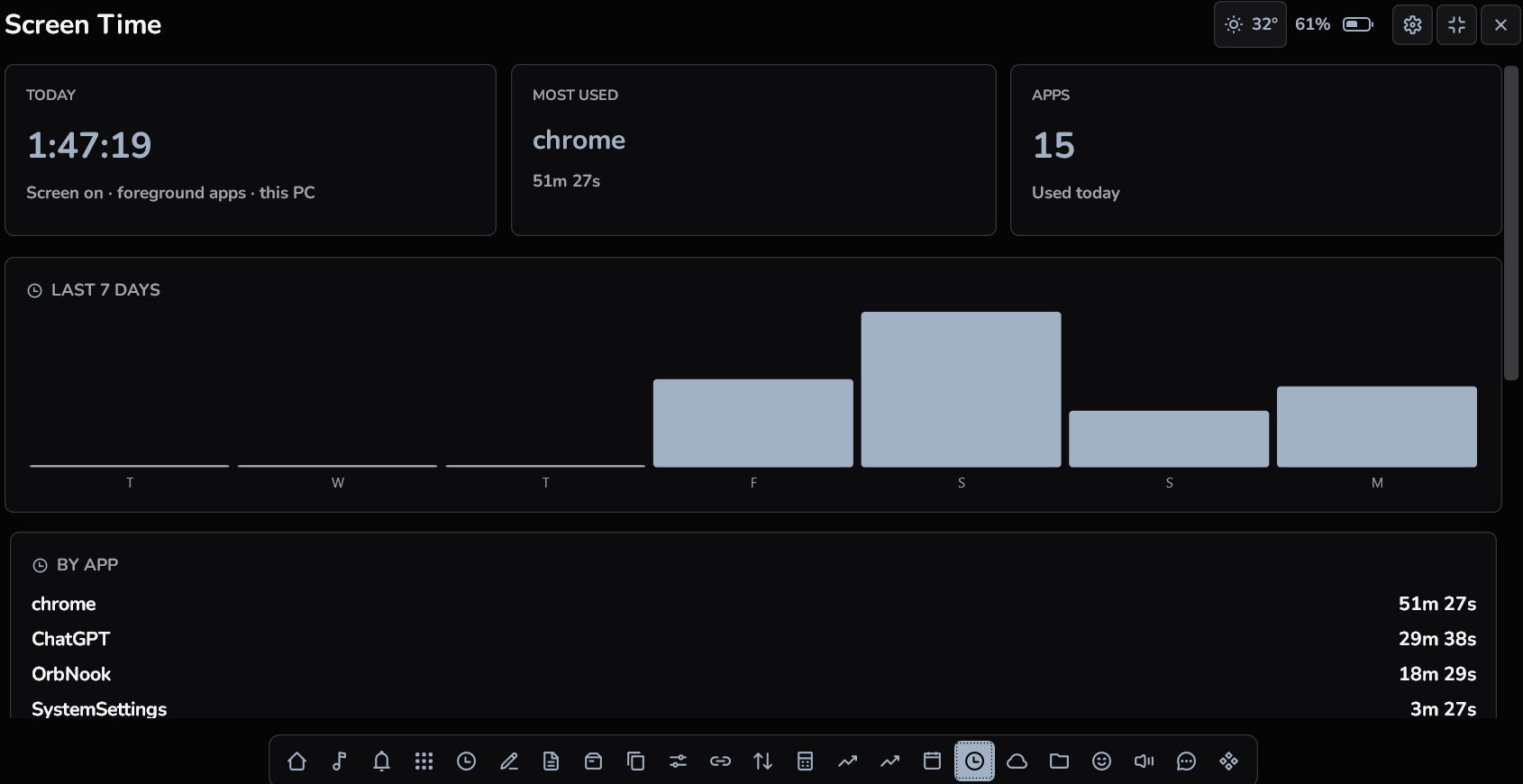
Orby Screen time on Windows

See where your time goes.

View the activity Orby records while it is running and tracking is enabled, with an app breakdown and recent history.

AI PLAYGROUND

Keep your AI allowance in sight.

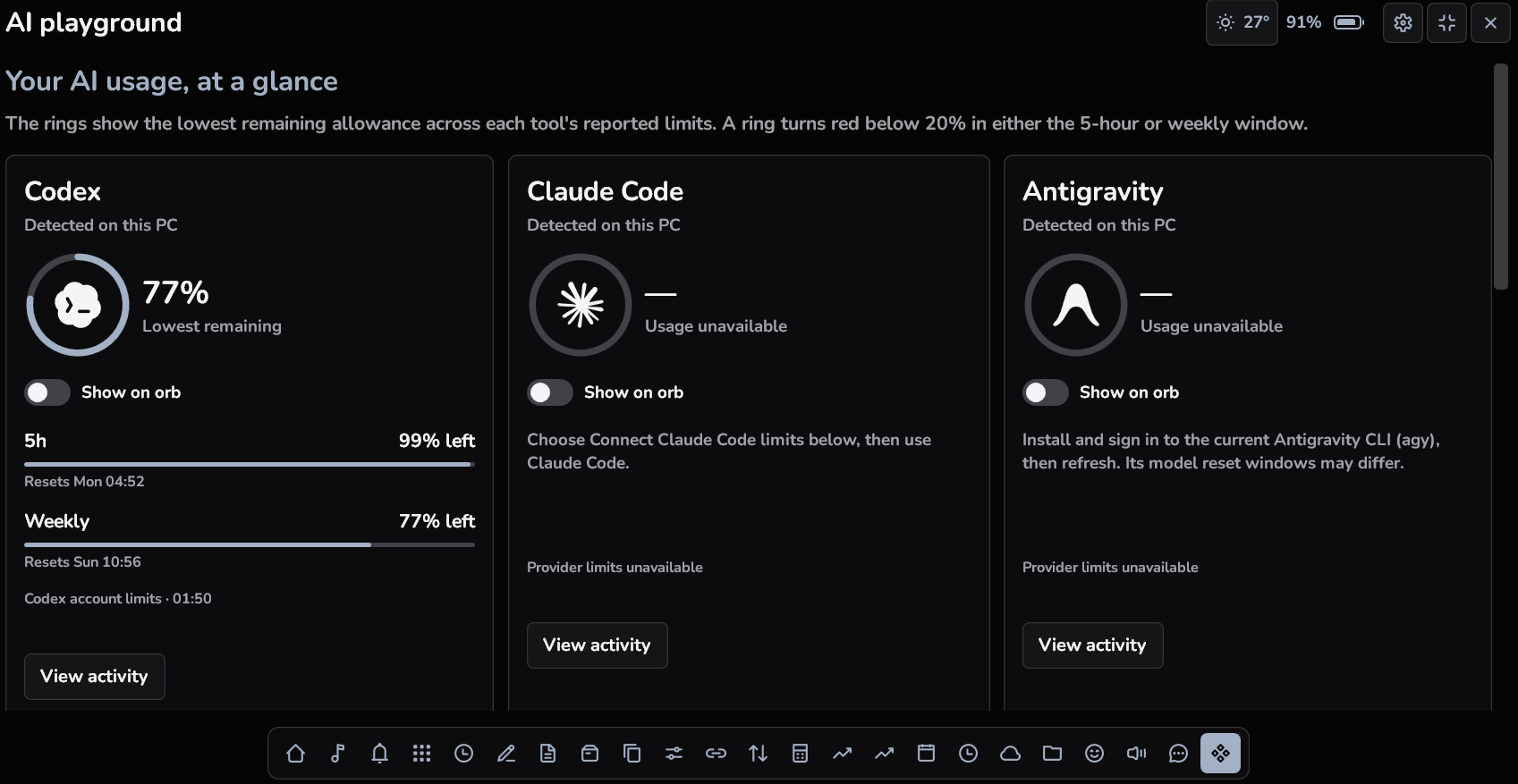
Find supported Codex, Claude Code and Antigravity installations. See remaining usage where the provider reports it, with a ring that turns red below 20%. Choose a provider to keep its reading on your closed orb.

  • Reported allowance and reset windows
  • Clear unavailable states
  • Show over ordinary Windows app windows
Read the AI usage guide ↗
Orby AI Playground on Windows

WHEN YOUR ORB GOES SMALL

Keep one useful thing in view.

Choose a supported activity. The closed orb keeps it nearby.
Your most recent selection takes its place.

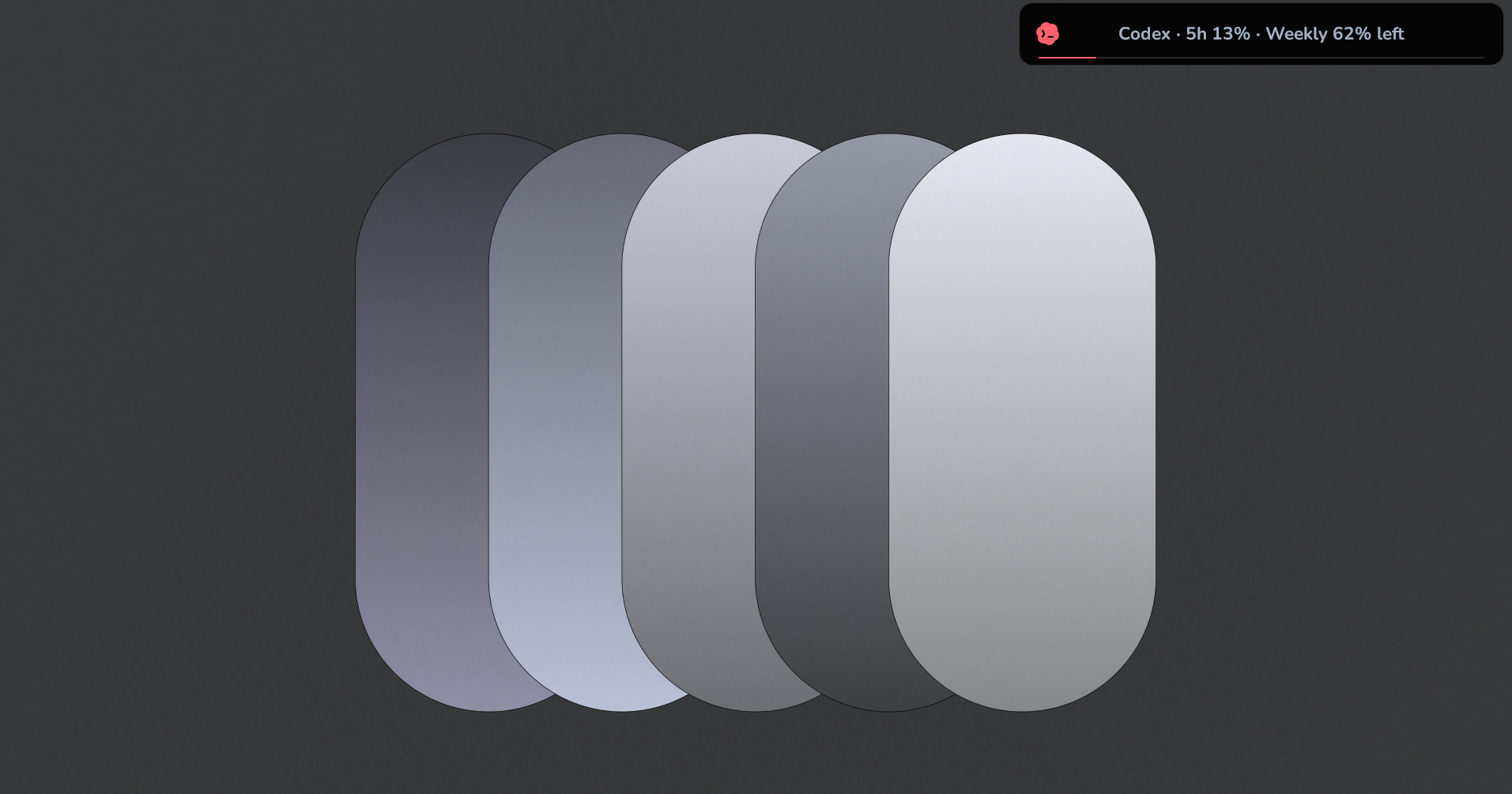
Orby AI allowance on the closed orb on Windows

A glance at your allowance.

Show the selected coding tool’s reported usage above your Windows apps.

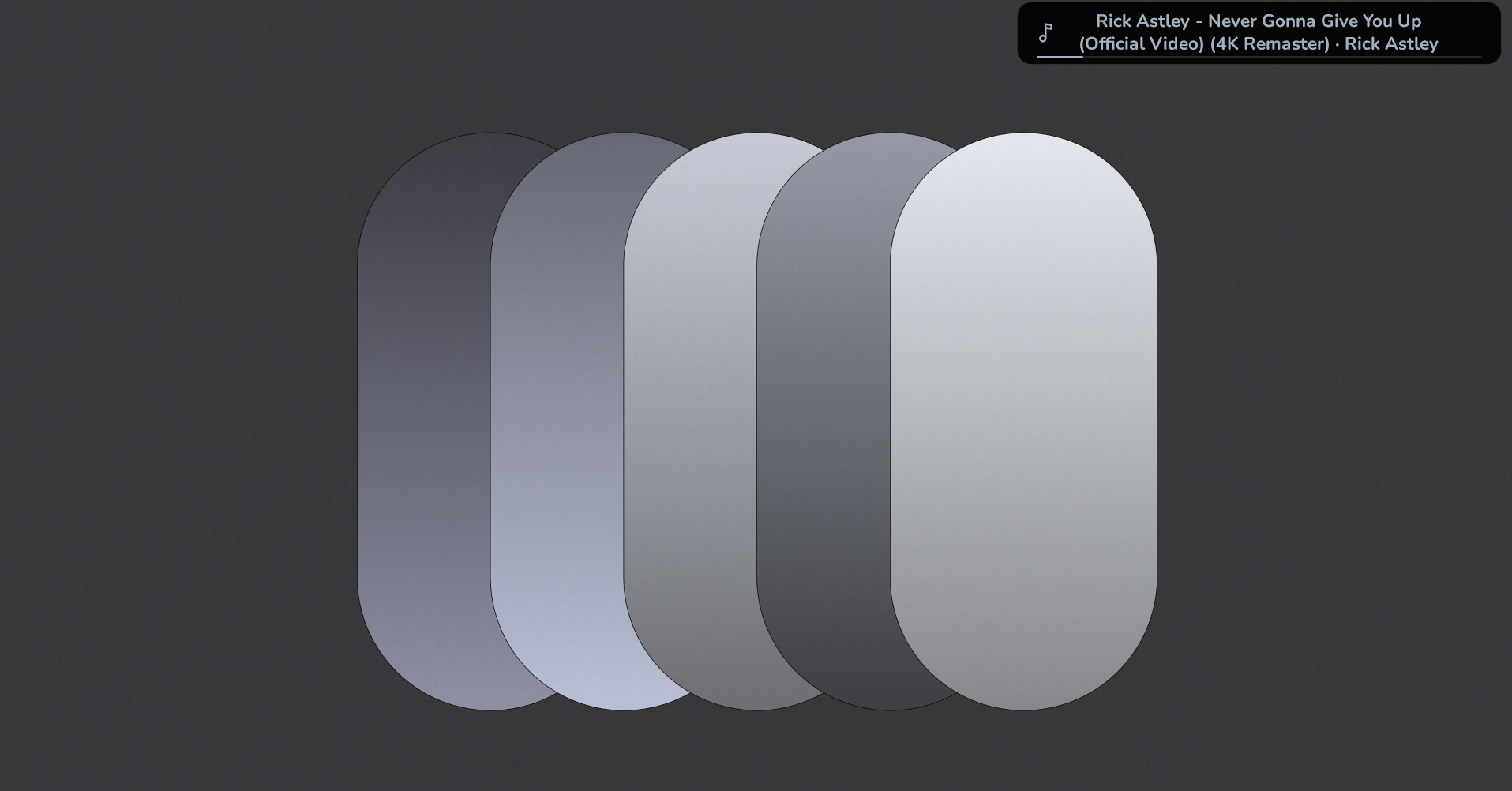
Orby Music on the closed orb on Windows

A little closer to your music.

Choose media as the activity shown on your closed orb while a supported player is active.

MESSAGE

Give your orb something to say.

Write a short message, choose an animation and flash it on your orb. Make a reminder, share a thought or add a little personality to your desktop.

THE LITTLE THINGS, TAKEN CARE OF

More room for your everyday.

Open the tool you need, then return to what you were doing.

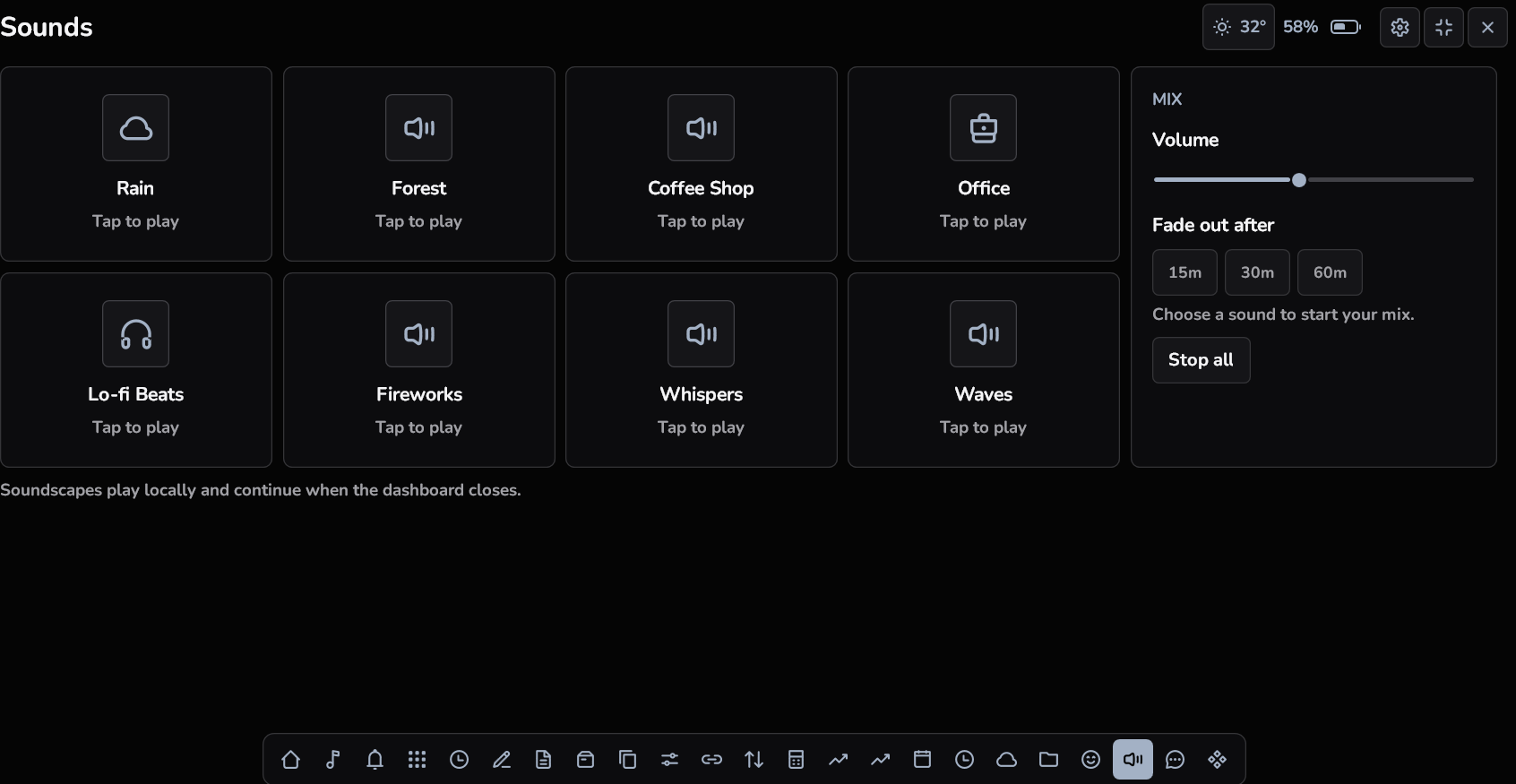
Orby Sound mixer on Windows

Find your atmosphere.

Layer local soundscapes, adjust the mix and choose when they fade out.

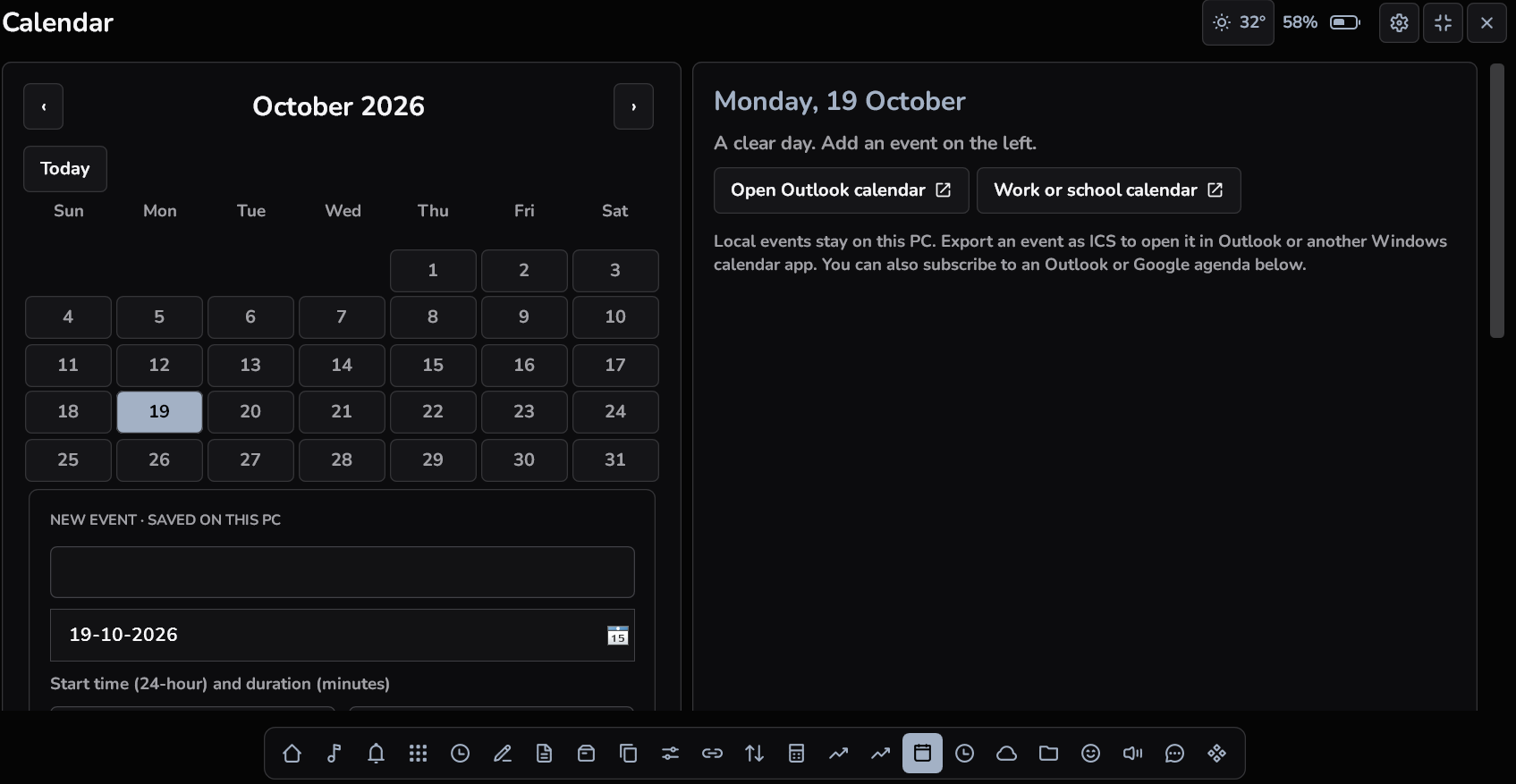
Orby Calendar and reminders on Windows

Keep the next thing close.

See your agenda and reminders alongside your other Windows tools.

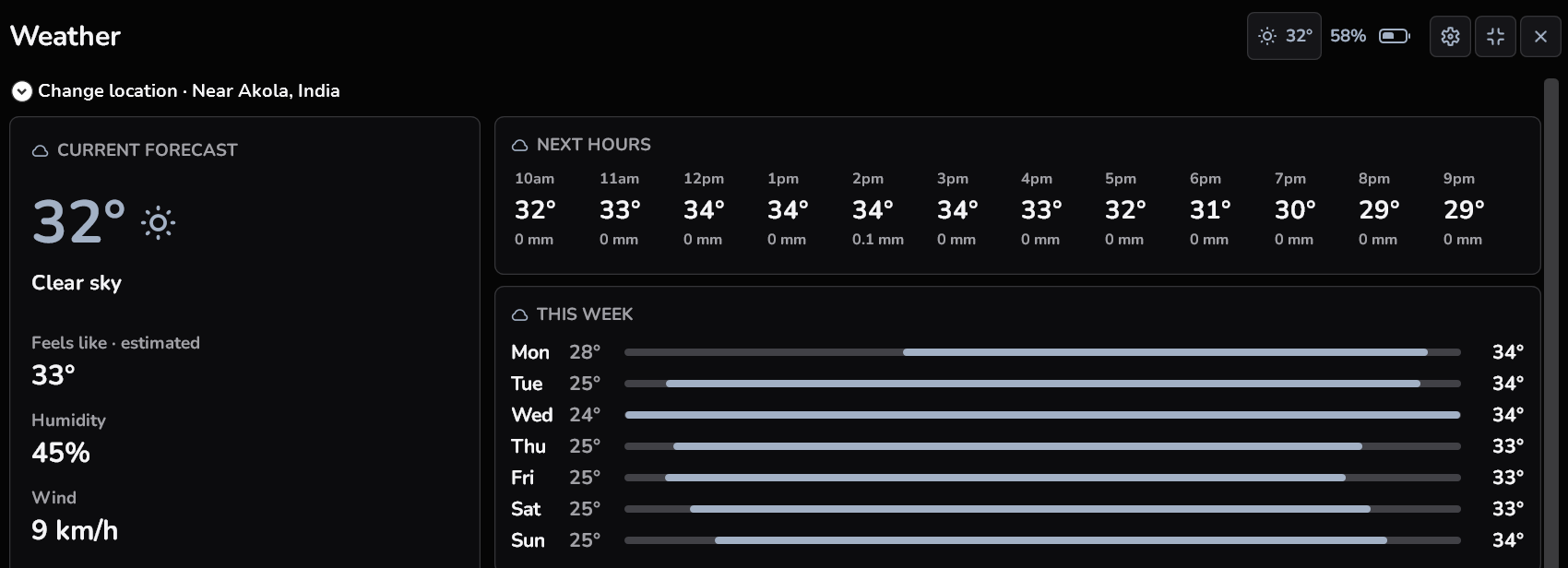
Orby Weather forecast on Windows

Know what is outside.

Check current conditions and a forecast without bringing your own weather API key.

UNITS · CALCULATOR

Work out the little things.

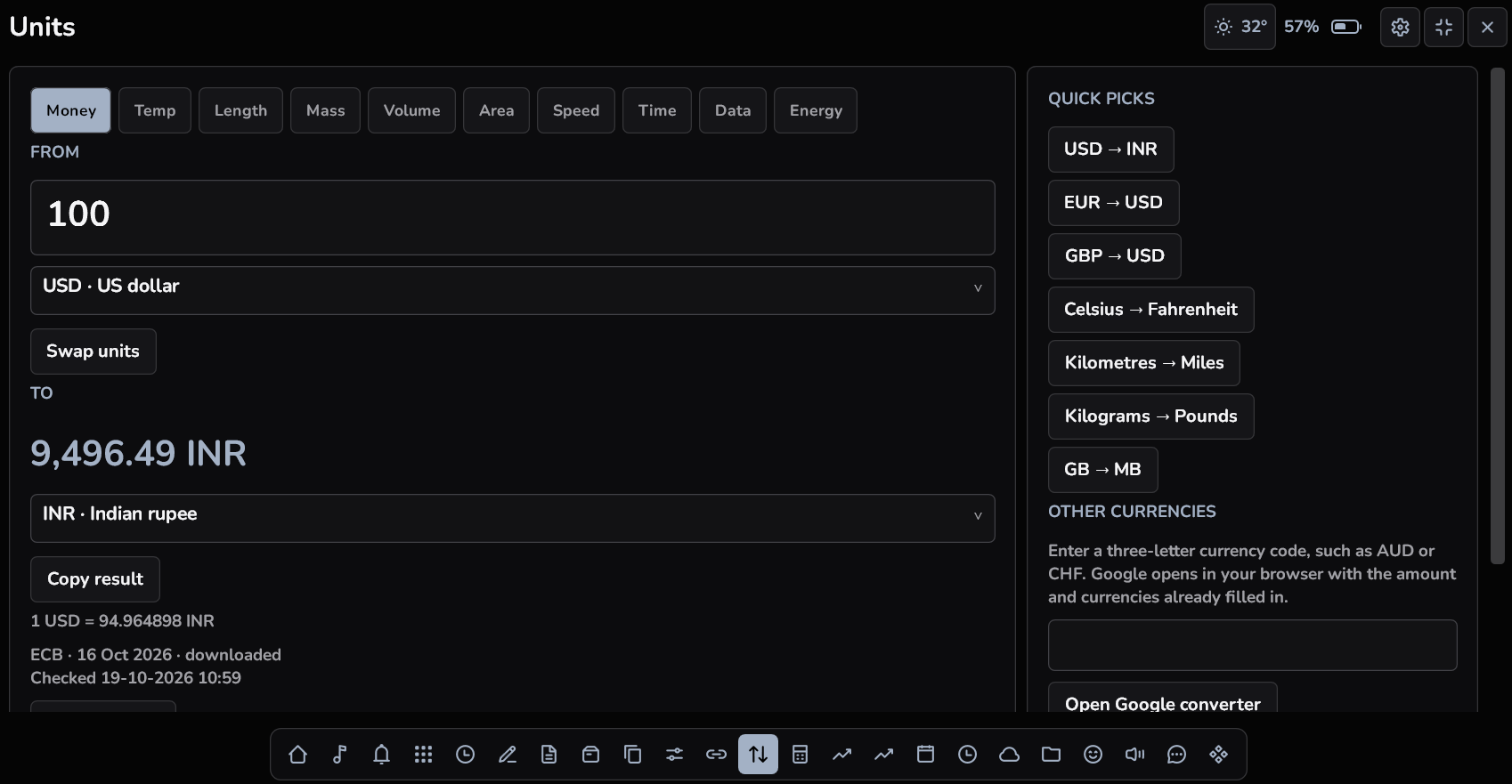
Convert everyday units and supported currencies, or open the calculator for a quick answer. Keep the task beside your work instead of opening another tab.

Orby Units and calculator on Windows

YOUR DESKTOP. YOUR ORB.

Make it feel like you.

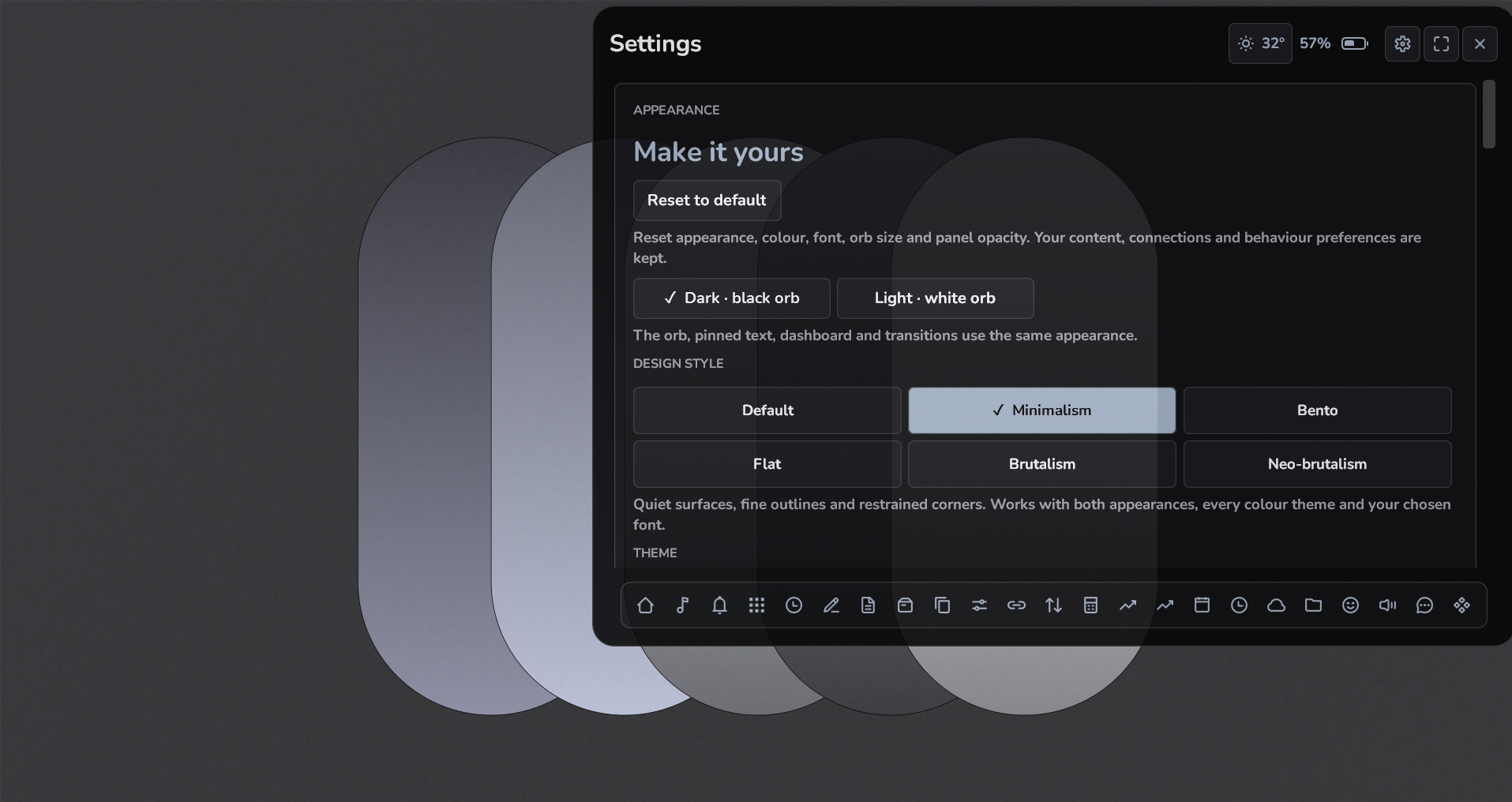
Choose your style, colours and font. Adjust the size and panel opacity.
Open on click, or switch to hover when that suits you.

Orby Orby customisation on Windows
DefaultMinimalismBentoFlatBrutalismNeo brutalism
THE BLACK ORB
Orby’s sculpted black orb
A little depth for your desktop.
THE WHITE ORB
Orby’s sculpted white orb
A lighter kind of presence.

Switch between light and dark

A SMALL CHANGE. A DIFFERENT FEEL.

Fonts for your orb.

Two favourites that feel at home with Orby. Pick the one that feels like you.

Nunito

Soft, rounded and friendly. A little personality for your everyday tools.

A little space for your day. 0123456789Download Nunito

Inter

Clean, balanced and easy to read. A familiar fit for your dashboard.

A little space for your day. 0123456789Download Inter

Make it yours in a moment.

  1. Download your font and choose Extract All on the ZIP in Windows.
  2. Open your orb and go to Settings → Font → Add your own font…
  3. Select the extracted .ttf file. Your font applies immediately.

No Windows font installation needed. Inter is also available in the app already. Each download contains one official upright variable TTF, its open font license and these instructions. The current Windows app is still named OrbNook.

Free fonts under the SIL Open Font License. From Google Fonts: Nunito · Inter.

READY WHEN YOU ARE

Your day,
within reach.

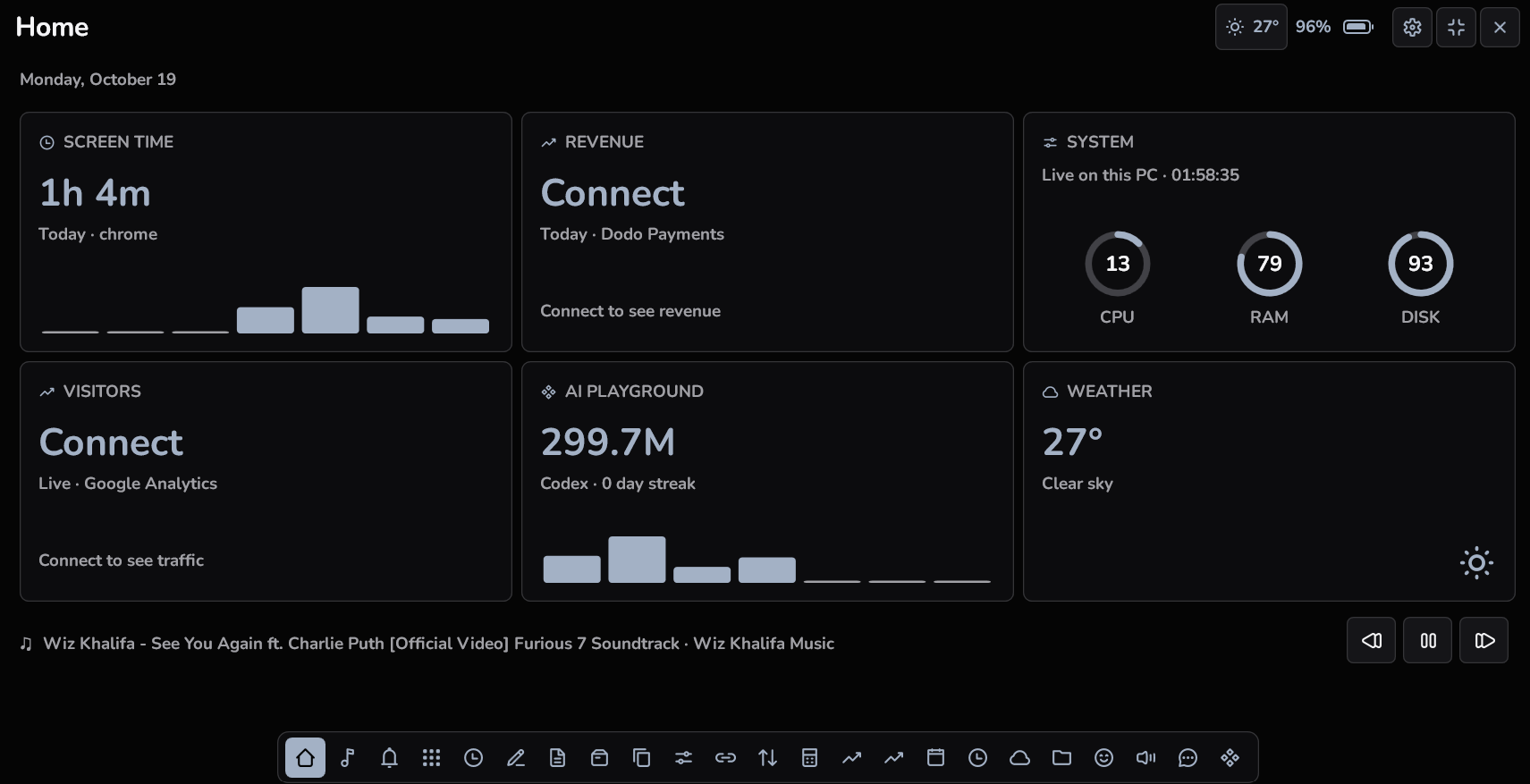
Open Home for a quick overview, then move into the tools you need. Click to open by default, or enable hover expansion in Settings.

Orby Home dashboard on Windows

WHAT IS INSIDE

22 tools. Your own rhythm.

Keep the tools you use in your tray. Adjust the collection in Settings.

Home
A starting point for your day, media and useful information.
Media
Your current track and controls for supported Windows players.
Quick Access
A personal launcher for the apps you reach for most.
Timers
Pomodoro, countdown, stopwatch and water reminders.
Scratchpad
A quick place for the thought you need to keep nearby.
Notes
Organise longer notes and make simple drawings.
Shelf
Keep useful files together and preview supported items.
Clipboard
Find and reuse your saved clipboard history.
Stats
CPU, memory, disk, network and available battery information.
Links
Save favourite URLs and search with your chosen provider.
Units
Everyday unit and currency conversions.
Calculator
Work out a quick calculation without changing apps.
Revenue
Connect supported payment services to view sales totals.
Analytics
DataFast, Google Analytics and Vercel CSV snapshots.
Calendar
An agenda and reminders beside your other tools.
Screen Time
Activity recorded while Orby is running and tracking.
Weather
Current conditions and a forecast without your own API key.
Files
Local image conversion to JPEG, PNG or PDF.
Emoji
A searchable colour emoji picker.
Sounds
Layer local soundscapes and set a fade out time.
Message
Put your own animated text on the closed orb.
AI Playground
Supported coding tools, activity and reported allowances.

Windows notification mirroring is excluded from direct downloads. Microsoft Store: coming soon.

MADE TO FIT AROUND YOUR WORK

There when you need it.

Your position.

Move the orb to a comfortable spot, resize it and choose whether it shows over your windows.

Your little workspace.

Notes, drawings and file conversions stay on your PC. Connected tools contact their providers when you use them.

Your purchase.

Buy once for up to three active PCs. Activate with your purchase key and use the tools that fit your day.

YOUR LITTLE SPACE STARTS HERE

Buy once.
Make it your own.

One license. Up to three active PCs.
A 14 day window to request a refund.

ALREADY AVAILABLE ON GUMROAD

Prefer Gumroad?

$19.99 USD

The same direct download edition, with purchase delivery and a license key through Gumroad.

Get it on Gumroad ↗
Microsoft Store

Coming soon.

Orby is the new name for OrbNook. The current Windows app, checkout and receipts still use OrbNook. Check compatibility before buying. This is an unsigned indie installer. See system requirements and installation details.

THE USEFUL DETAILS

A few things to know.

What kind of PC does Orby need?

Windows 11 on x64, a compatible Intel or AMD processor, Windows 11 compatible graphics, 8 GB RAM and 1 GB free storage are recommended. The .NET runtime is included. Read the full requirements.

Will everything show the same data on every PC?

No. Desktop PCs may not have a battery. Media controls depend on a supported player. Screen time records while Orby is running and tracking is enabled; it cannot recover your earlier activity. Connected tools depend on their providers.

Is Windows notification mirroring included?

It is excluded from website and Gumroad editions. Microsoft Store edition: coming soon.

Do I need to enter API keys?

Weather does not require your own API key. Optional revenue and analytics connections can require provider credentials. You can use the other tools without connecting those services.

How do activation and refunds work?

Choose your purchase provider in the app and enter the key from your receipt. Up to three PCs can be active. Online validation is required initially; previously verified licenses have a bounded offline allowance of up to three days. A refunded license loses access when revocation is verified or that allowance expires. Get help.

FROM THE JOURNAL

A better place
to get things done.

WINDOWS WORKSPACE · 6 MIN READ

Premium Windows apps worth considering in 2026.

And the useful free alternatives that deserve a place beside them.

Read the selection ↗

A SMALLER SPACE FOR YOUR EVERYDAY

Give your desktop
a little Orby.

22 tools, a movable orb and a look that feels like you.