 Orby
OrbyWINDOWS WORKSPACE · 19 OCTOBER 2026 · BY ABID
Want your Windows desktop to feel a little more like a Mac?
A practical guide to aesthetic Windows apps, compact productivity tools and the differences between Orby and Mac notch apps.
Some great Windows apps solve a big problem. Others make the small tasks you repeat feel easier: starting a focus timer, finding copied text, controlling music or checking your PC. If you are searching for an aesthetic Windows app, look for something that earns its place on your desktop as well as looking good there.
Mac notch apps are one example of that idea. They turn a small part of the screen into a place for useful controls. Orby brings a similar quick access approach to Windows through a movable orb, with an expanded dashboard and a compact closed state.
Make your Windows desktop feel more like a Mac
If you like the visual calm of a Mac workspace, you can borrow the idea of small, easy to reach controls while keeping your Windows PC. Start with a simple wallpaper, reduce the number of things competing for attention and choose a few tools you actually use.
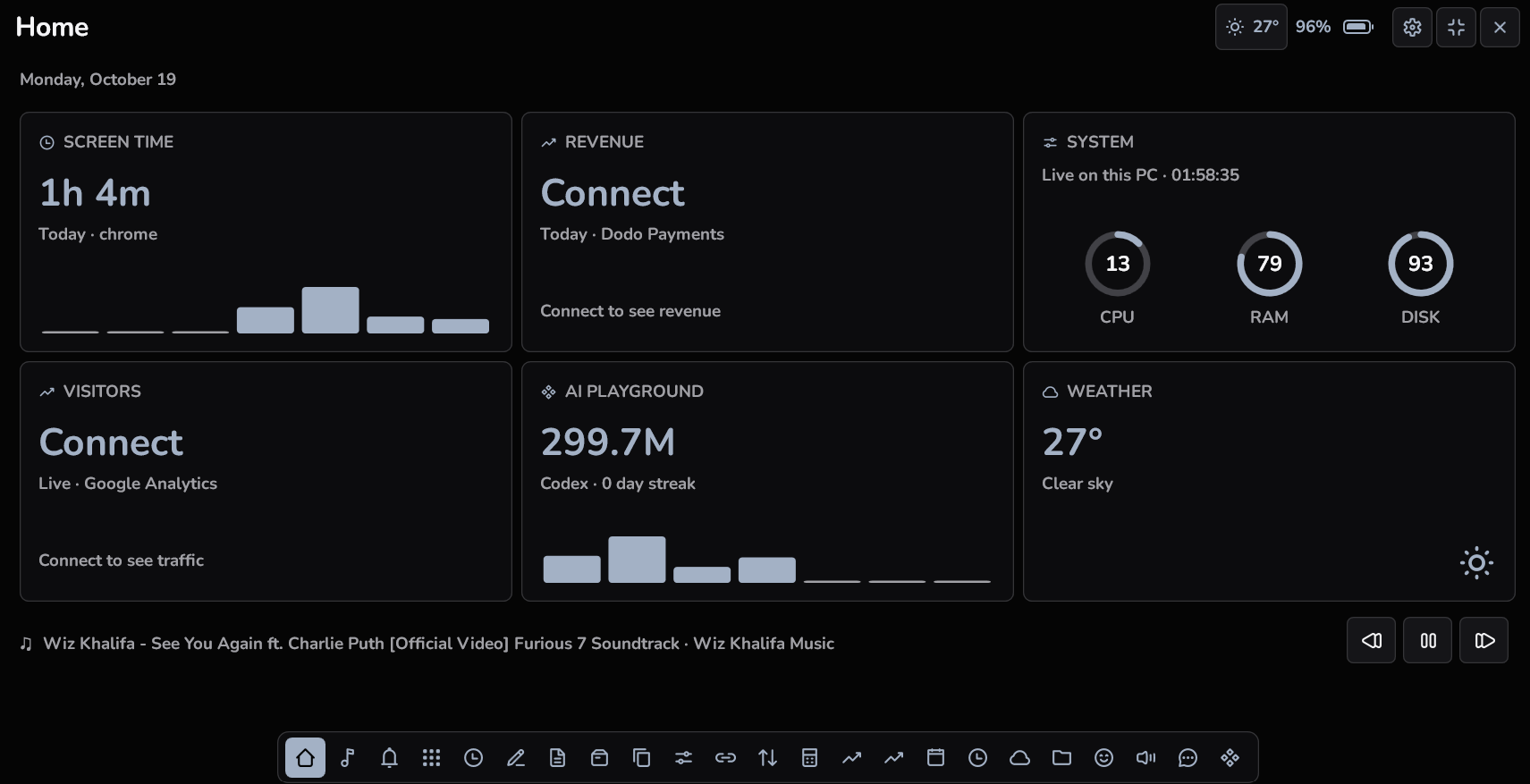
Orby adds a compact place for those tools. Choose the black or white orb, keep click to expand or enable hover, and adjust its position, size and expanded panel opacity. Pick a design style, set an accent colour and choose a font. Nunito and Inter downloads are available with instructions for adding them to your orb.
This changes the feel of one useful part of your workspace. It does not replace the Windows shell, install macOS or make Mac applications run on Windows.
Mac apps for Windows: what actually works?
When people search for “Mac apps for Windows”, they often want a similar workflow, rather than the same application file. A macOS download is not a Windows installer. Notch Buddy and NotchNook advertise macOS support on their official sites; Orby provides a Windows x64 installer.
A physical camera notch is not a requirement for Orby. It draws its own orb on your screen. This alone does not make it unique: both Mac apps compared below also support Macs without a physical notch. The useful distinction is the operating system and the way the controls fit your work. Notch Buddy’s official site and NotchNook’s official site explain their supported Macs.
Windows notch apps versus Mac notch apps
Here is what Orby offers beside two Mac notch products. The Notch Buddy column refers specifically to the product at notchbuddy.com. This is a comparison of those named products, rather than a claim about every notch app available.
| Your requirement | Orby | Notch Buddy | NotchNook |
|---|---|---|---|
| Run on a Windows PC | Yes, Windows x64. Windows 11 recommended. | macOS app; no Windows edition advertised. | macOS app; no Windows edition advertised. |
| Control media playing in Windows | Supported Windows media sessions and a closed orb media view. | Mac playback and a now playing Home view. | Mac Now Playing controls with a source picker. |
| See Windows PC readings and app activity | CPU, memory, disk, network and screen time recorded while tracking runs. | Mac system stats and screen time. | Windows readings are not supported by its Mac app. |
| Choose the desktop presentation | Movable, resizable orb; click or hover expansion. | Mac notch or simulated notch, with display selection. | Mac notch or a top edge handle on displays without one. |
| Follow AI coding tool usage | Supported Codex, Claude Code and Antigravity detection; allowances when reported. | Official site lists Claude Code tokens, sessions and streaks. | AI usage tracking not listed on the reviewed homepage. |
| Personalise the interface | Six design styles, custom accent colours, imported fonts, size and opacity controls. | Minimal, Playful and Neon themes advertised. | Equivalent font import and design presets not listed on the reviewed homepage. |
| Keep common utilities together | Notes, clipboard, timers, weather, shelf and local image conversion among 22 tools. | 19 tools advertised, including many of those utilities. | Music, calendar, notes, tasks, timers and a file tray advertised. |
| Use native Mac features such as AirDrop | No AirDrop integration. | Not evaluated in this comparison. | Tray supports sending files with AirDrop; camera Mirror also advertised. |
| License more than one computer | One purchase for up to three active PCs. | Check its current license terms for the device allowance. | Two Macs per license advertised. |
Sources: Notch Buddy features and requirements · NotchNook features and FAQ · Orby compatibility and setup. Product features and terms can change. Similar tool names do not mean identical behaviour.
What Orby can do on Windows that these Mac notch apps cannot
The direct advantage is Windows support. On a compatible PC, Orby can display that PC’s available system readings, record its app activity while tracking is enabled, and control media from supported Windows players. A macOS only notch app cannot provide those Windows workflows as an installed Windows application.
Orby also gives Windows users a different presentation: a movable orb with a choice of styles and imported fonts. Its AI Playground puts supported coding tool readings alongside everyday utilities. These are reasons to consider Orby for a Windows setup; they do not mean that every feature is exclusive, or that no Mac notch app has AI tracking or customisation.
An aesthetic Windows app that does useful work
Keep your AI allowance above your Windows apps
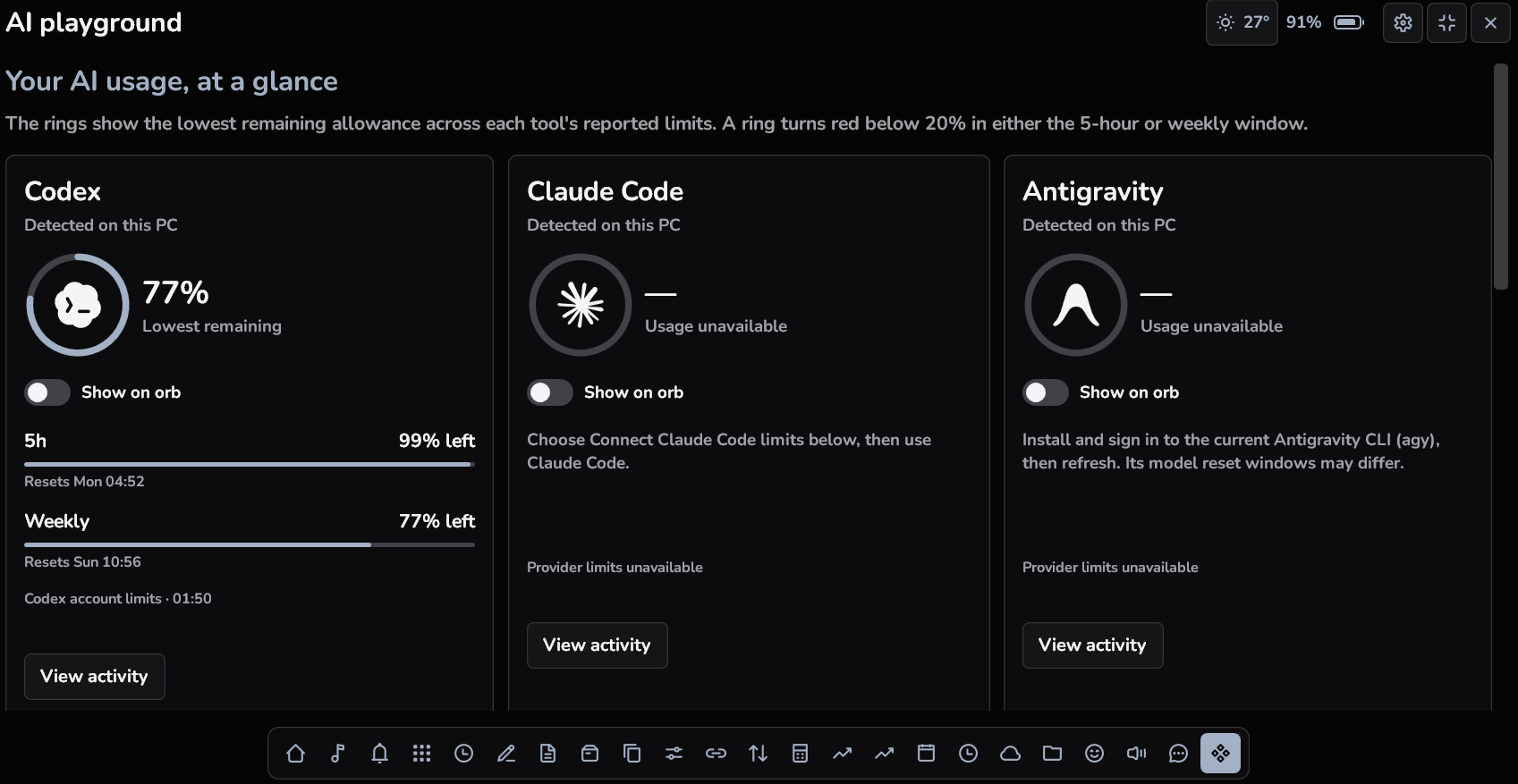
Open AI Playground to find supported Codex, Claude Code and Antigravity installations. Remaining usage appears when a supported provider reports it. Choose Show on orb to keep a supported reading visible in the compact orb; the most recent activity you select takes its place. Reported remaining allowances below 20% turn red.
Provider support matters. Detection does not guarantee an available quota, and Orby cannot invent an allowance that the tool does not report. Read the Windows AI usage tracker guide for the distinction between activity and remaining limits.
Give a timer or your music a small place to live
Start a Pomodoro, countdown or stopwatch and select the activity you want on the closed orb. Use water reminders for a regular nudge, or choose supported media to keep current playback within reach. You can keep one selected activity visible instead of leaving the full dashboard open.
Handle the quick jobs between larger tasks
Write a note, make a basic drawing, reuse saved clipboard items or keep working files on the shelf. Open weather, the calculator or unit conversion without hunting for another utility. Supported image conversion happens locally, and notes and drawings stay on your PC. Connected features contact their providers when used.
Choose a look you will want to keep
Try Default, Minimalism, Bento, Flat, Brutalism or Neo brutalism. Adjust the accent colour, choose an available font or import your own, and change the orb size and panel opacity. The right aesthetic Windows app should be readable and comfortable at the size you use every day.
Which Windows productivity apps belong beside Orby?
Choose apps around the tasks you repeat. Orby suits quick utilities and a small persistent activity display. A dedicated notes app can still be a better choice for a large knowledge base, and a specialist window manager can offer deeper layout controls.
For other great Windows apps, see our Windows app selection, covering PowerToys, Everything, Obsidian, Start11 and DisplayFusion. It includes free choices as well as paid ones, with links to their developers.
Before you download a Windows notch app
- Check the operating system and processor architecture. Orby is for Windows x64, with Windows 11 recommended. There is no native ARM, Mac or Linux edition.
- Check which features depend on Windows, provider permissions or another app reporting information. Screen time records while Orby is running with tracking enabled.
- Read the full PC requirements and installation guide. Orby includes its required runtime and needs internet for activation and periodic license checks.
- Know the current edition: direct downloads do not include Windows notification mirroring. The Microsoft Store edition is coming soon.
Common questions
Is Orby a Windows alternative to Mac notch apps?
Yes, in the sense of offering compact desktop access to everyday tools on Windows. It uses its own movable orb and Windows integrations. It is an independent product and is not affiliated with Apple, Notch Buddy or NotchNook.
Do I need a screen with a notch?
No. Orby draws the orb itself on a compatible Windows display.
Can Orby make Windows run Mac apps?
No. Orby brings a similar compact utility workflow to Windows; it does not run macOS software or add Apple services such as AirDrop.
Is it a subscription?
Orby is a one time purchase for up to three active PCs. The normal website price is US$9.99, with a US$4.99 offer for the first ten website purchases, subject to availability. Taxes and the final total appear at checkout. Check current pricing before purchasing.